
Distinct Values
This document explains how the distinct values feature in OpenObserve works.
Overview
The distinct values feature automatically collects unique values for a stream when data is ingested. The system writes these values to disk at a defined interval. Distinct values are stored in a special stream named distinct_values, which is used to accelerate distinct queries.
Who can access it
By default, the Root user has access. Access for other users is managed through IAM permissions in the Metadata module.
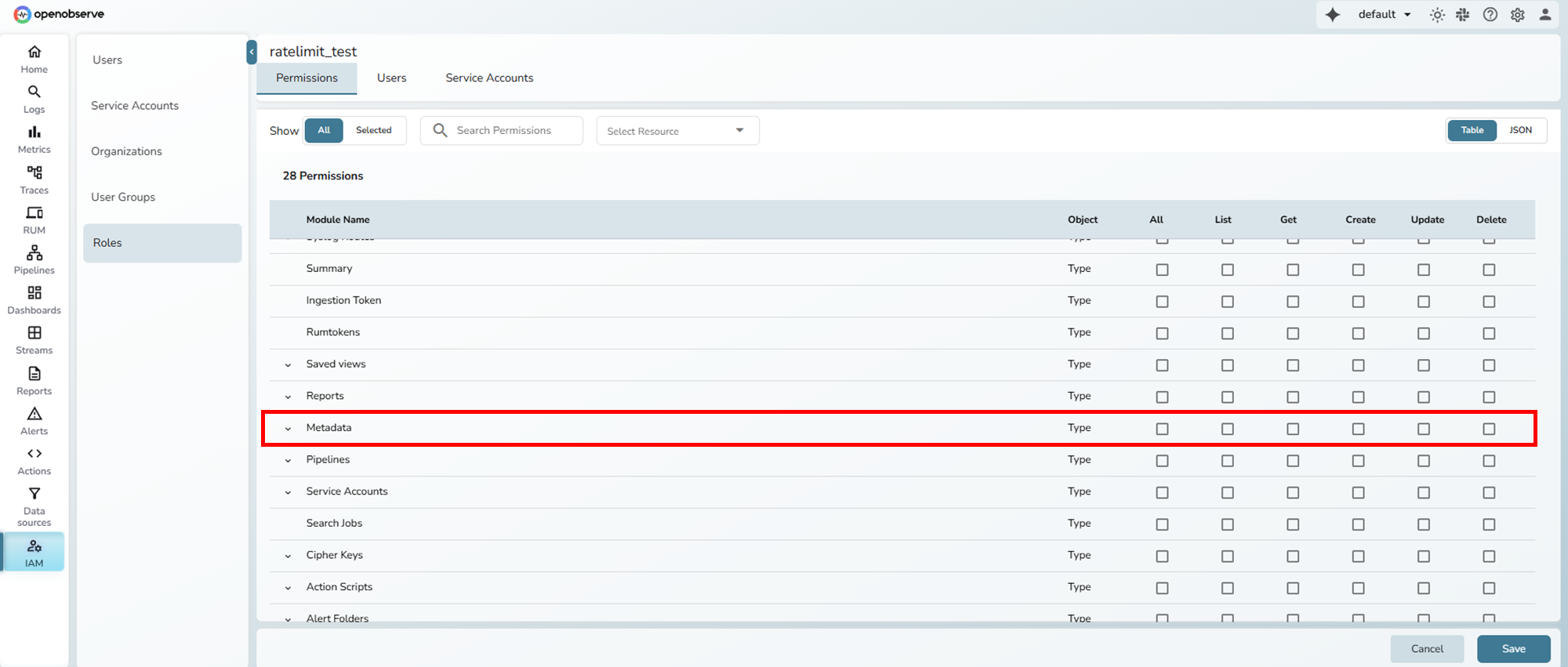
Where to find it
Distinct values are written into automatically created metadata streams. The naming pattern is distinct_values_<type>_<stream>. For example, For example: distinct_values_logs_default and distinct_values_logs_k8s_events.
Environment Variables
| Variable | Description | Default |
|---|---|---|
ZO_DISTINCT_VALUES_INTERVAL | Defines how often distinct values collected during ingestion are written from memory to the distinct_values stream on disk. This prevents frequent small writes by batching distinct values at the configured interval. | 10s |
ZO_DISTINCT_VALUES_HOURLY | Enables hourly deduplication of distinct values stored in the distinct_values stream. When set to true, repeated values within one hour are merged into a single record, and a count of occurrences is logged. | false |
How it works
- During ingestion, OpenObserve automatically collects distinct values for each stream.
- These values are stored in memory and written to disk in the
distinct_values_<type>_<stream>under Streams > Metadata at intervals defined byZO_DISTINCT_VALUES_INTERVAL.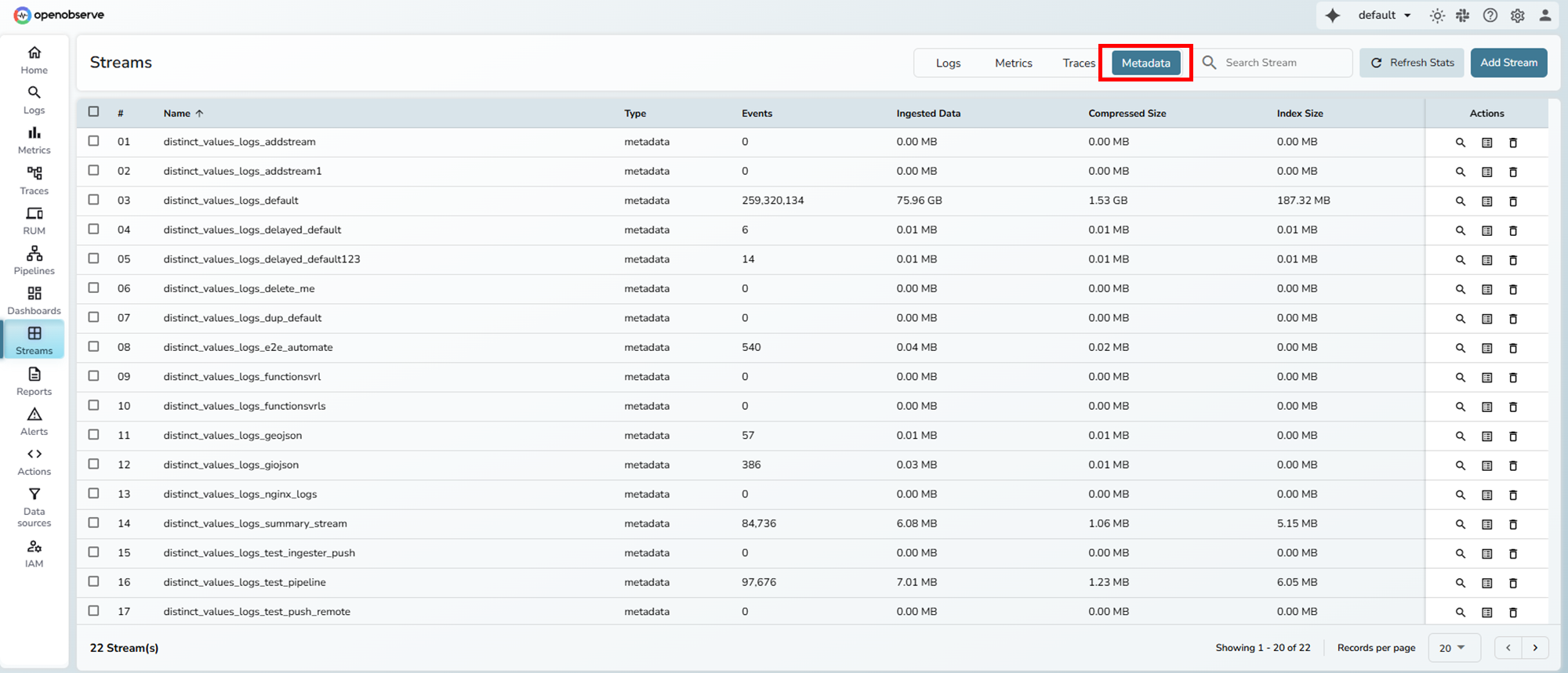
- If
ZO_DISTINCT_VALUES_HOURLYis enabled, values in thedistinct_valuesstream are further deduplicated at the hourly level, with counts aggregated.
- The
distinct_valuesstreams help accelerateDISTINCTqueries by using pre-computed distinct values instead of scanning all ingested logs.
Example
Ingested data:
2025/09/10T10:00:01Z, job=test, level=info, service=test, request_id=123
2025/09/10T10:00:02Z, job=test, level=info, service=test, request_id=124
2025/09/10T10:01:03Z, job=test, level=info, service=test, request_id=123
2025/09/10T10:10:00Z, job=test, level=info, service=test, request_id=123
2025/09/10T11:10:00Z, job=test, level=info, service=test, request_id=123
With ZO_DISTINCT_VALUES_INTERVAL=10s, the system first collects values in memory and then writes to disk:
2025/09/10T10:00:01Z request_id: 123, count: 2
2025/09/10T10:00:02Z request_id: 124, count: 1
2025/09/10T10:10:02Z request_id: 123, count: 1
2025/09/10T11:10:02Z request_id: 123, count: 1
If ZO_DISTINCT_VALUES_HOURLY=true, the system merges values by hour:
2025/09/10T10:00:01Z request_id: 123, count: 3
2025/09/10T10:00:02Z request_id: 124, count: 1
2025/09/10T11:10:02Z request_id: 123, count: 1Last updated on
Query Recommendations Stream
Understand the purpose, structure, and usage of the query_recommendations stream in the _meta organization in OpenObserve.
Workflows
Define automated workflows that run when alerts fire. Use the visual builder to transform data, call functions, evaluate conditions, and route results.