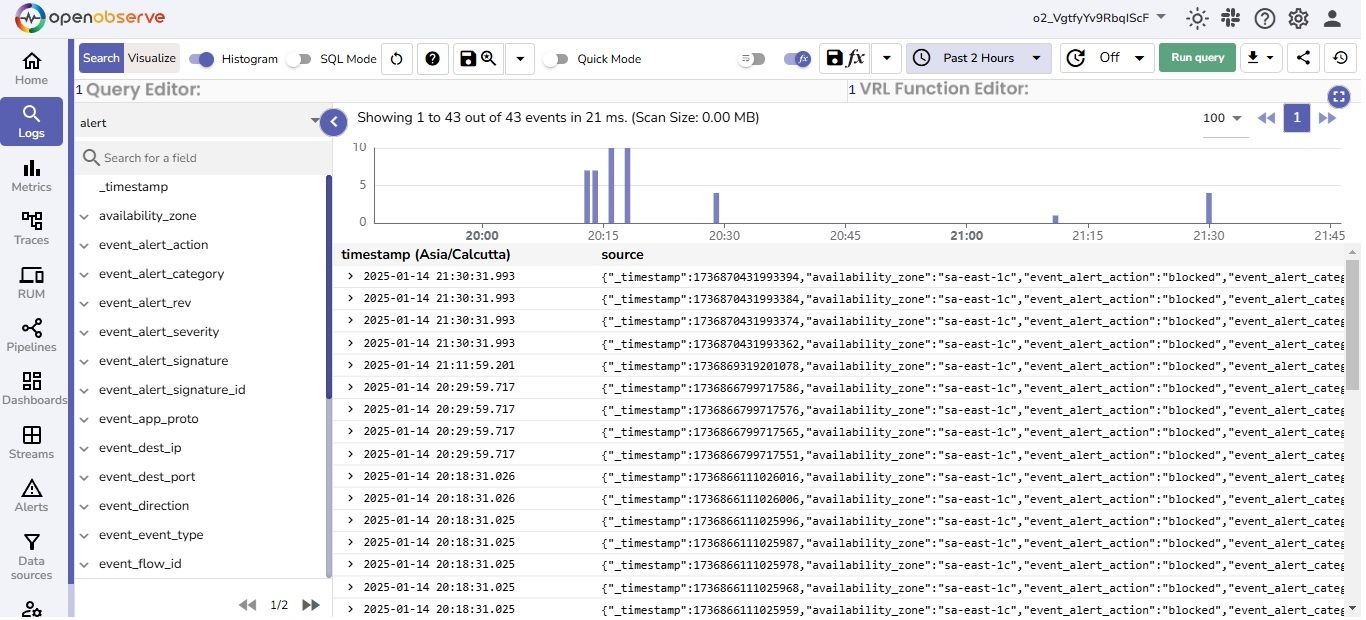
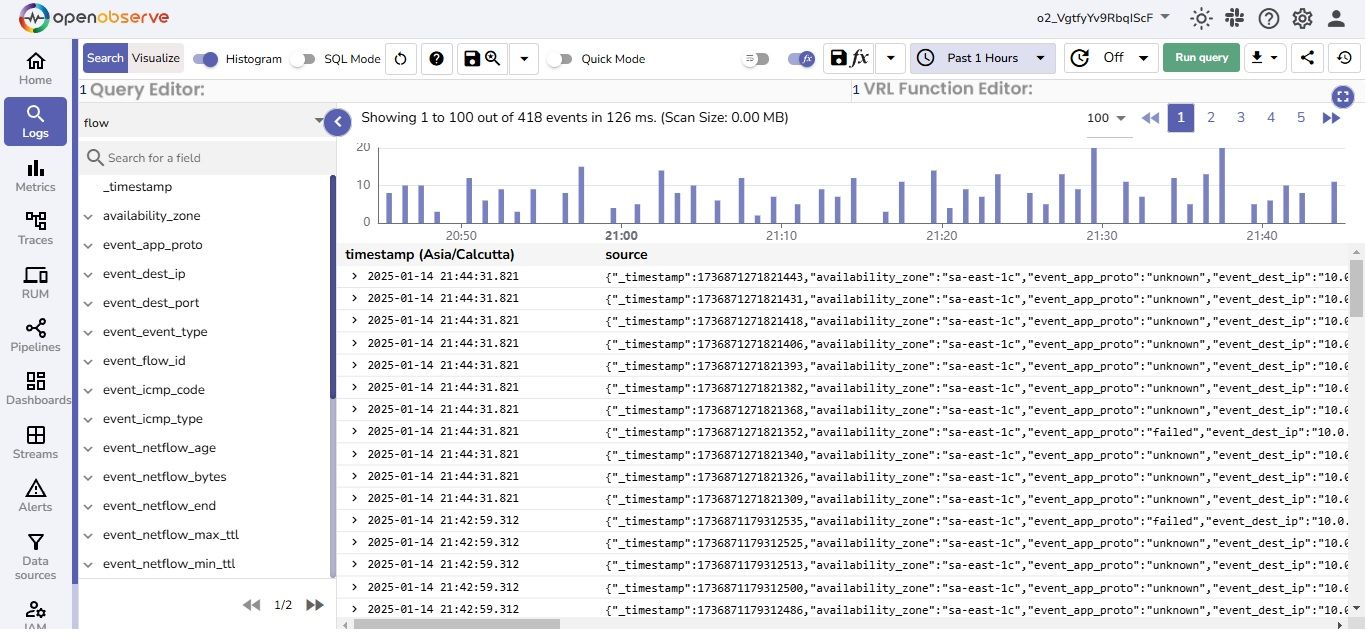
AWS Network Firewall allows you to log network traffic data, including both flow logs and alert logs ,and stream it to destinations like Amazon S3 and Amazon Kinesis. This integration forwards logs to OpenObserve via Firehose, enabling real-time monitoring of your VPC traffic.
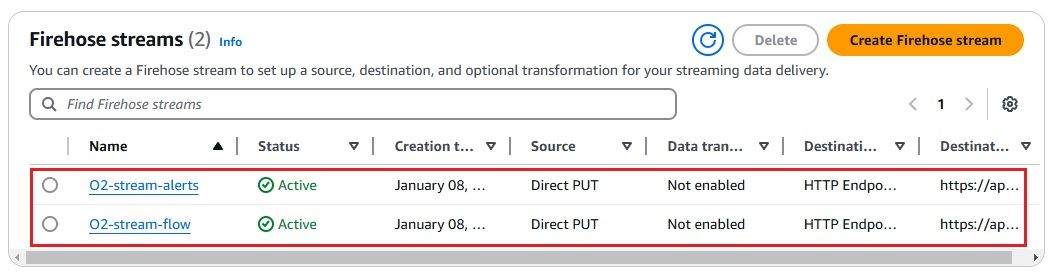
Step 2: Create a Kinesis Data Firehose Delivery Stream
Go to Kinesis → Firehose → Create delivery stream
Choose:
Source: Direct PUT
Destination: HTTP Endpoint
Provide:
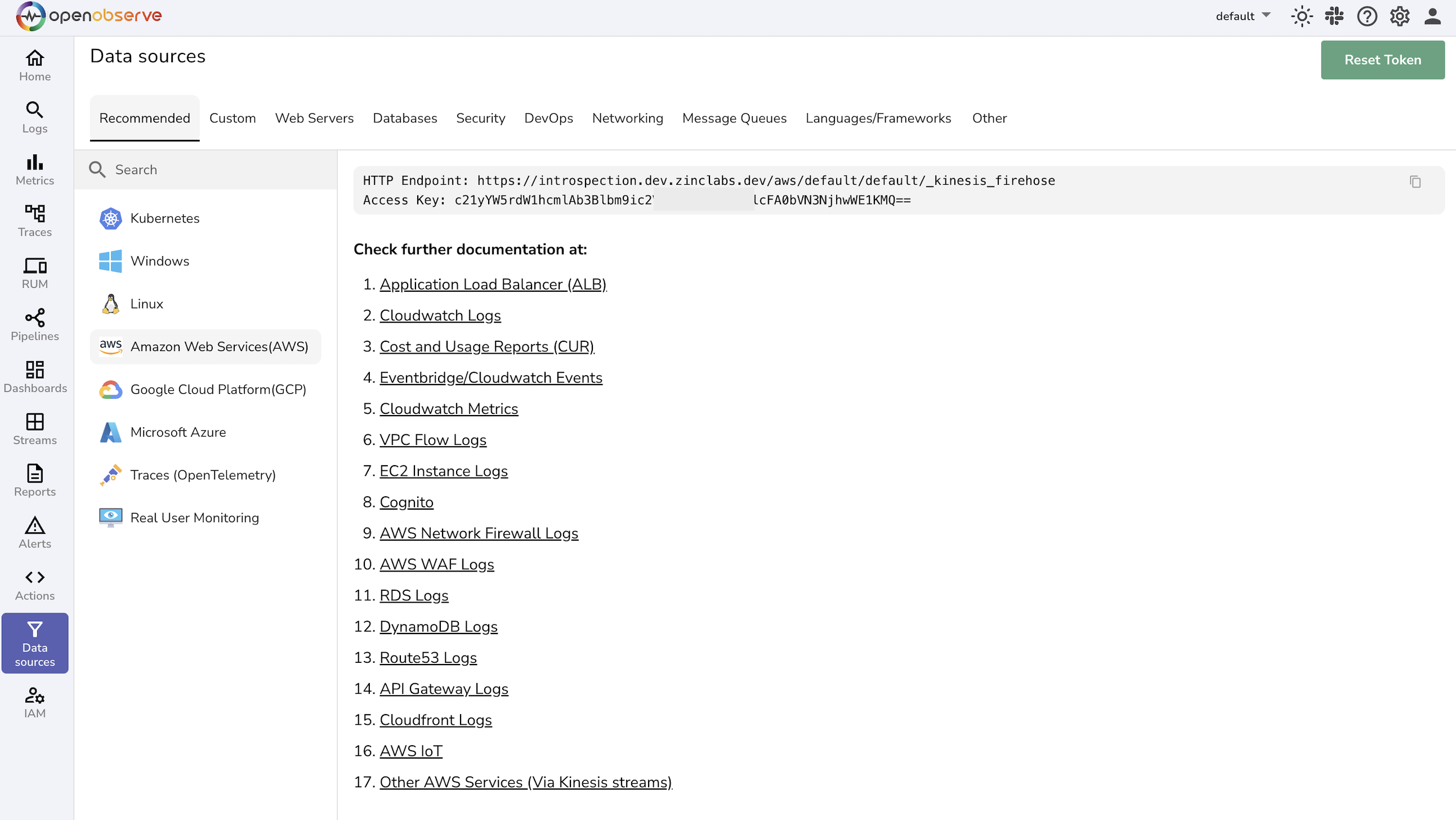
Endpoint URL: OpenObserve Firehose ingestion URL
Access Key / Secret Key: from OpenObserve
Optionally configure an S3 bucket as a backup
Name the delivery stream (e.g., network-firewall-logs)
Complete stream creation
NOTE: You can create multiple streams for different types of logs
Step 3: Enable Logging in AWS Network Firewall
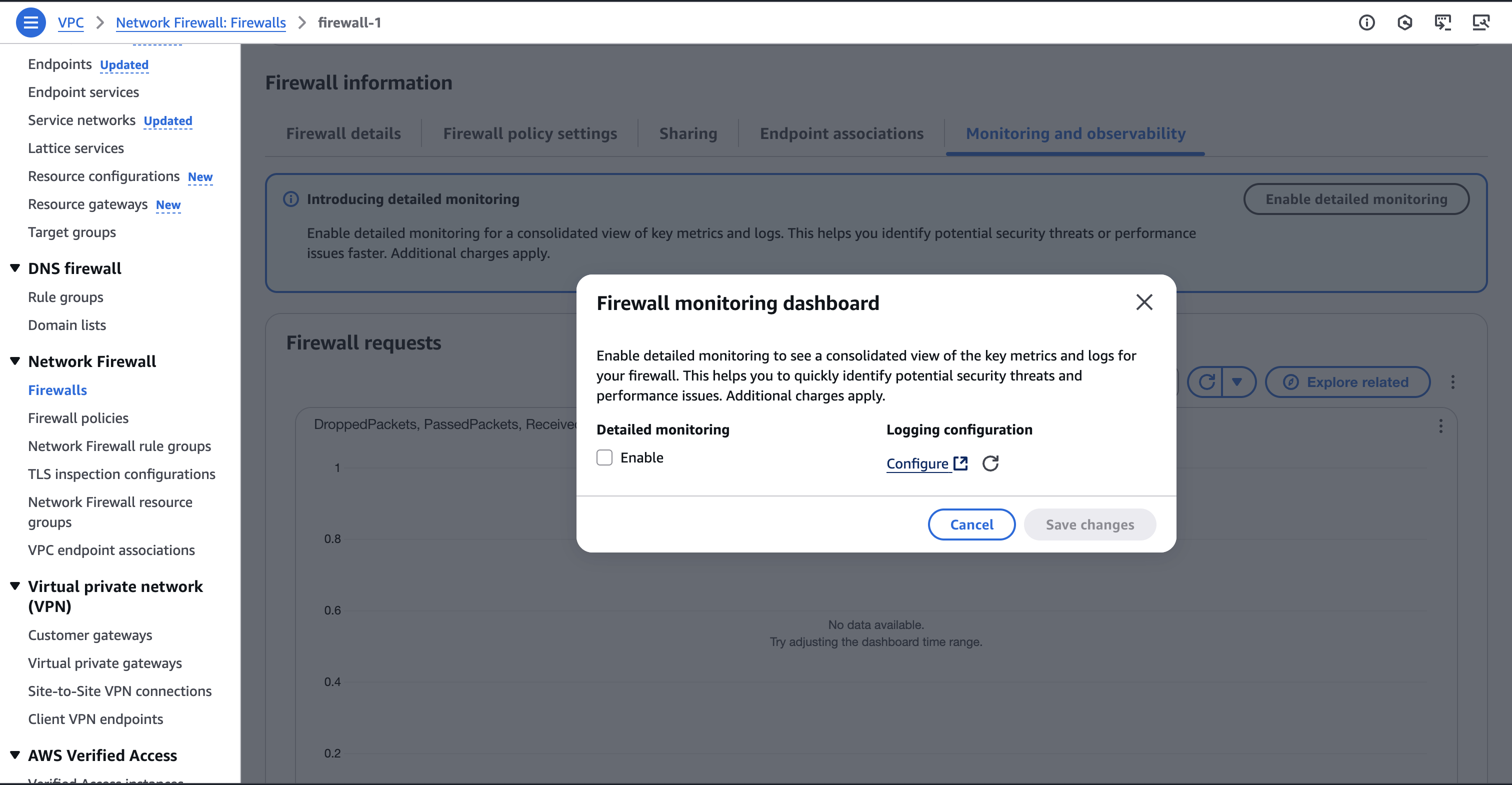
Go to VPC → Network Firewall → Firewalls
Select your firewall → Navigate to the Monitoring and Observability tab → Enable Detailed Monitoring
Click Configure button under logging configuration
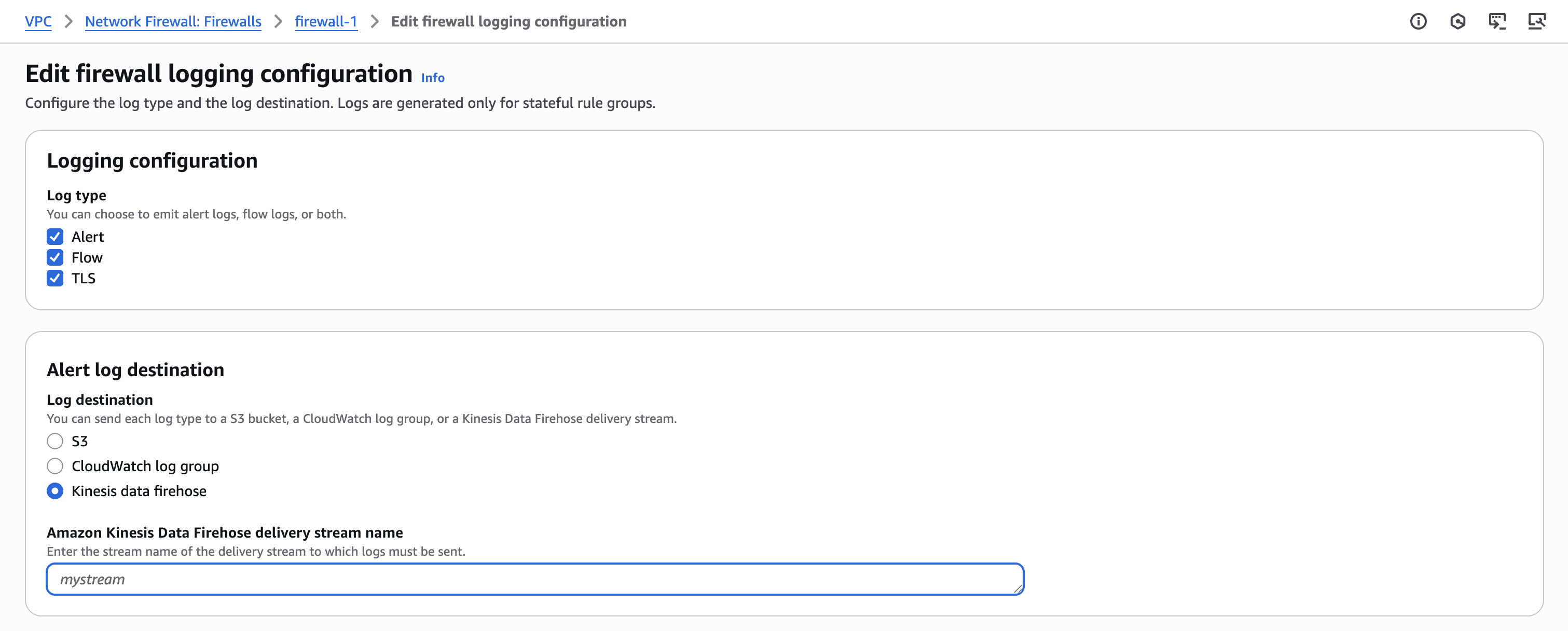
Enable logging for alerts and Flow logs
Set the Log destination type to Kinesis Data Firehose
Select the delivery stream you created earlier
NOTE: In case you created multiple firehose streams, select respective streams for each log type
Save the configuration
Step 4: Generate Traffic to Create Logs (Optional)
Deploy an EC2 instance into a subnet protected by the Network Firewall
Allow outbound internet access (via NAT or Internet Gateway)
From the instance, generate traffic:
curl -I https://google.com
This will help trigger flow and alert logs.
Step 5: Verify Log Ingestion in OpenObserve
Go to Logs → select your log stream → Set time range → Click Run Query
Troubleshooting
No logs visible in OpenObserve
Ensure logging is enabled in Network Firewall and that network traffic is actually flowing through it.
Also, confirm that your delivery stream is properly configured.
Firehose delivery failures
Verify that the OpenObserve ingestion URL and access credentials (Access Key and Secret Key) are correct.
Check if the Firehose role has the necessary permissions.
Log fields are missing or incomplete
Check your S3 backup (if enabled) for any malformed or truncated records. This can help identify issues with the Firehose delivery configuration or log formatting.
No alert logs are received
Confirm that your firewall policies include rules with the alert action. Only these rules generate alert logs. Without such rules, only flow logs will be produced.